PeakKR is the flat-priced workspace for SEO & marketing agencies that turns big goals into key results — phased projects that unlock in order, time and retainers tracked as you go, and client reports that prove the progress.
Plugs into the stack your agency already runs on
Your whole portfolio, one screen
The thing nobody fixes
A task says "due Friday." The team finishes Tuesday — but the next department's dates never move, so everyone waits. Or it slips, and the deadline holds while the work doesn't. PeakKR treats the schedule like a rope: when one phase moves, the whole line moves with it.
See how cascades work →Signature
A checklist can't tell you if you're still figuring something out. Drag each piece of work up the hill while you're solving it, and down the other side once it's just execution. One glance, real status.
Group tasks into phases that stay locked until the one before is done — no skipping ahead. Finish a phase early or late and PeakKR offers to shift every downstream date by the difference, so no department is left guessing.
One click to start, one to stop. Weekly totals by project and person, a nudge when a day runs light — no separate app, no copy-paste timesheets at the end of the week.
How it works
No onboarding marathon — spin up a workspace and your whole team is climbing the same route in minutes.
Sign up free, name your team and invite everyone by email — owners, admins and members, with unlimited seats.
Break each project into phases that unlock in order. Start from a reusable playbook or build your own once and clone it per client.
Assign tasks, drag progress up the Hill Chart and run the built-in timer right where the work happens — no separate timesheet app.
Client-ready overviews and branded weekly progress reports go out automatically, so updates stop eating your Monday mornings.
All of it, in one place
Eight tools your team already juggles — finally on one rope, sharing the same projects, people and dates.
Subtasks, priorities and assignees grouped into phases that stay locked until the one before them is done — and dates that cascade when reality shifts.
Announcements and threaded discussion — calmer than chat, clearer than email.
Milestones and key dates on one shared timeline.
Living documents plus file attachments, all in the project.
Standups, reports and reviews — set once, regenerated on schedule.
Real-time team chat right next to the work it relates to.
Built-in timer and weekly reports — no extra tool.
Workspaces with owner / admin / member roles and invite-by-email.
Spin up a free workspace in a couple of minutes.
Start free →Made for the way you work
Roll out client accounts on a repeatable, phased playbook — and keep every handoff on time.
Repeatable client playbooksSee what's still being figured out vs. shipping, and move launch dates as scope moves.
Honest, moving timelinesRecurring work, accountable owners, and time tracked where the work actually happens.
Nothing slips the cracksConnectors
Pull live SEO data, schedule social, capture client calls and draft with AI — without ever leaving your projects.
Bring your own API keys — every connector is optional and stays off until you switch it on.
Why agencies choose PeakKR
One platform, one price, built around real retainer work — so every client stays on the same rope.
$100/mo, flat — unlimited people, clients and projects. Never per-seat, so adding the whole team (or a dozen clients) never grows the bill.
Projects, time & retainers, technical SEO audits, the content writer, client reporting and AI — in one workspace, instead of a stack of subscriptions you stitch together.
Designed inside a working SEO agency around real client work — phased delivery, retainer margins and client-ready reporting — not a generic PM tool bent to fit.




Meet your AI guide
Summit is the AI teammate built into PeakKR. He plans your day from your real tasks, drafts client updates and replies, and flags what's overdue or blocked — always one click away, never in the way.
Now on the Chrome Web Store
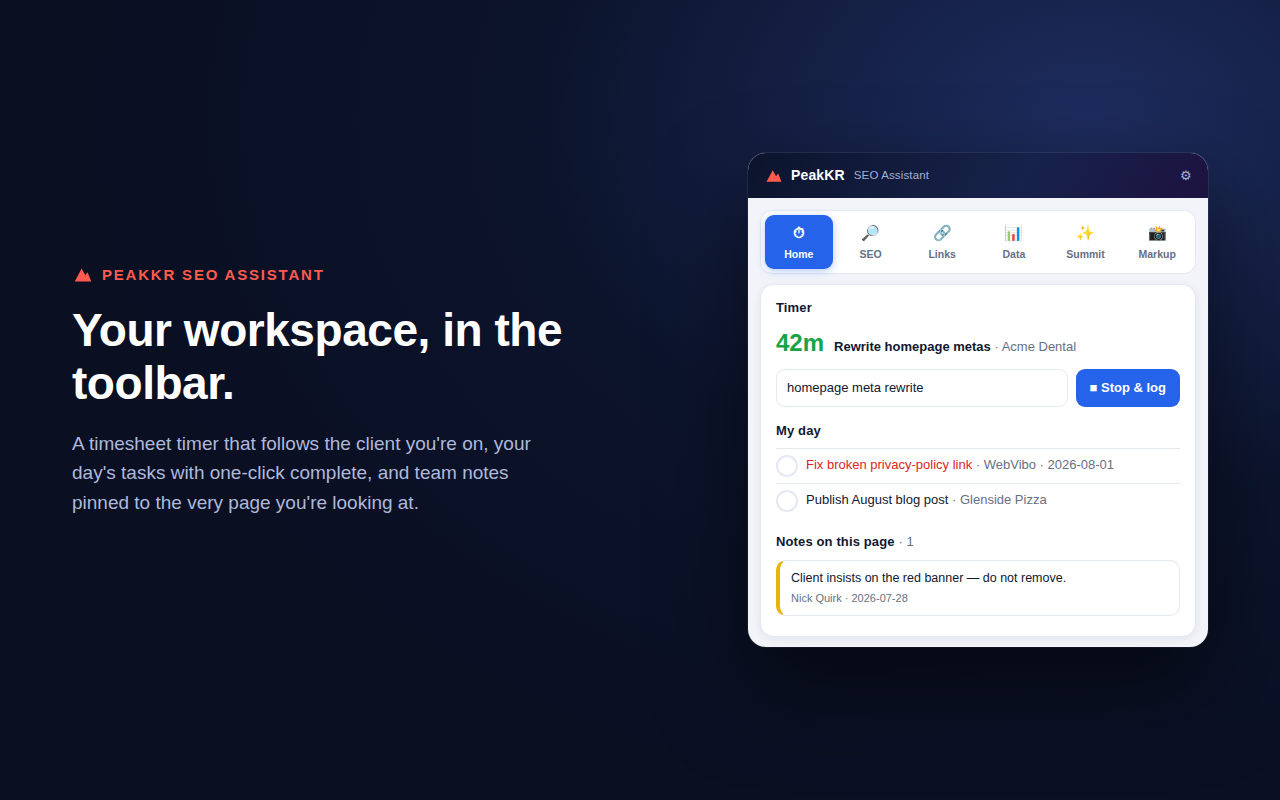
The PeakKR SEO Assistant puts every on-page check one click from your toolbar — and turns what you find into assigned work without leaving the tab. Free with every workspace, and the SEO tools work on any site before you even connect.
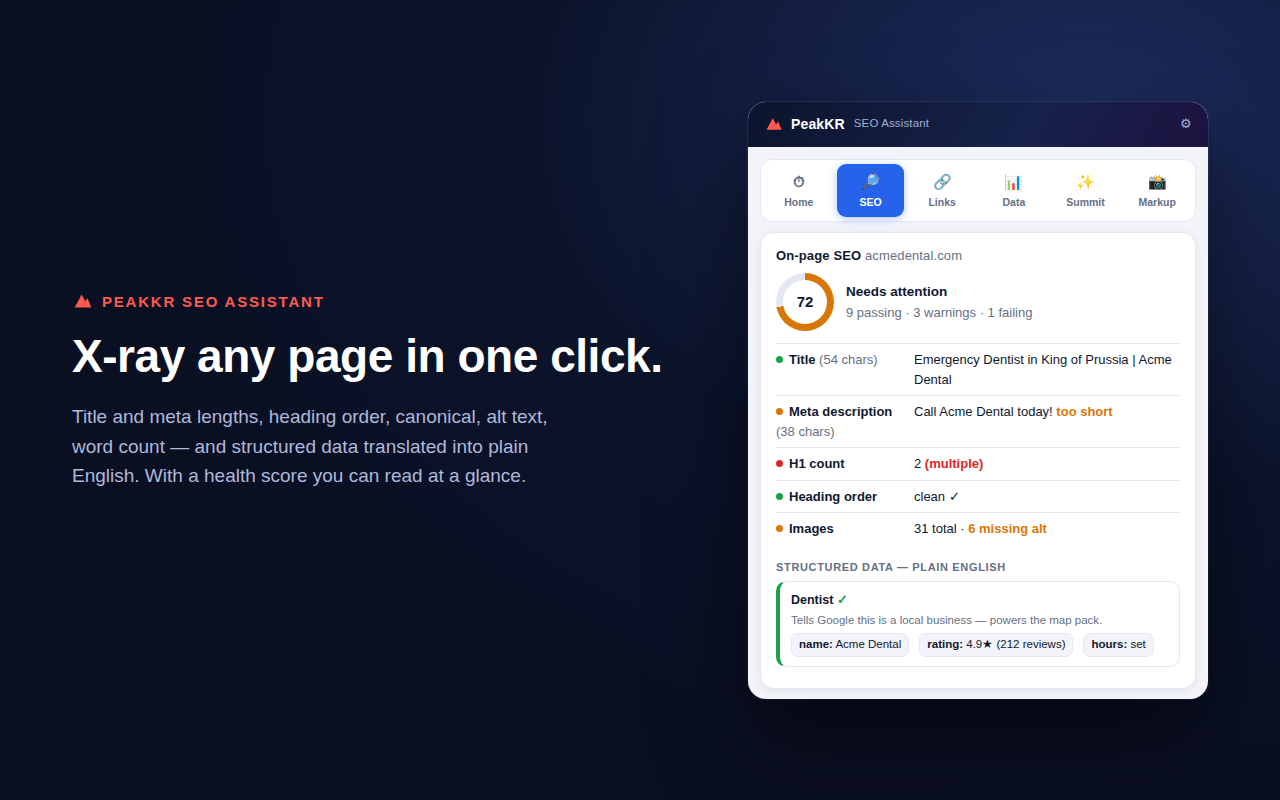
The on-page SEO x-ray — score, metas, headings, schema
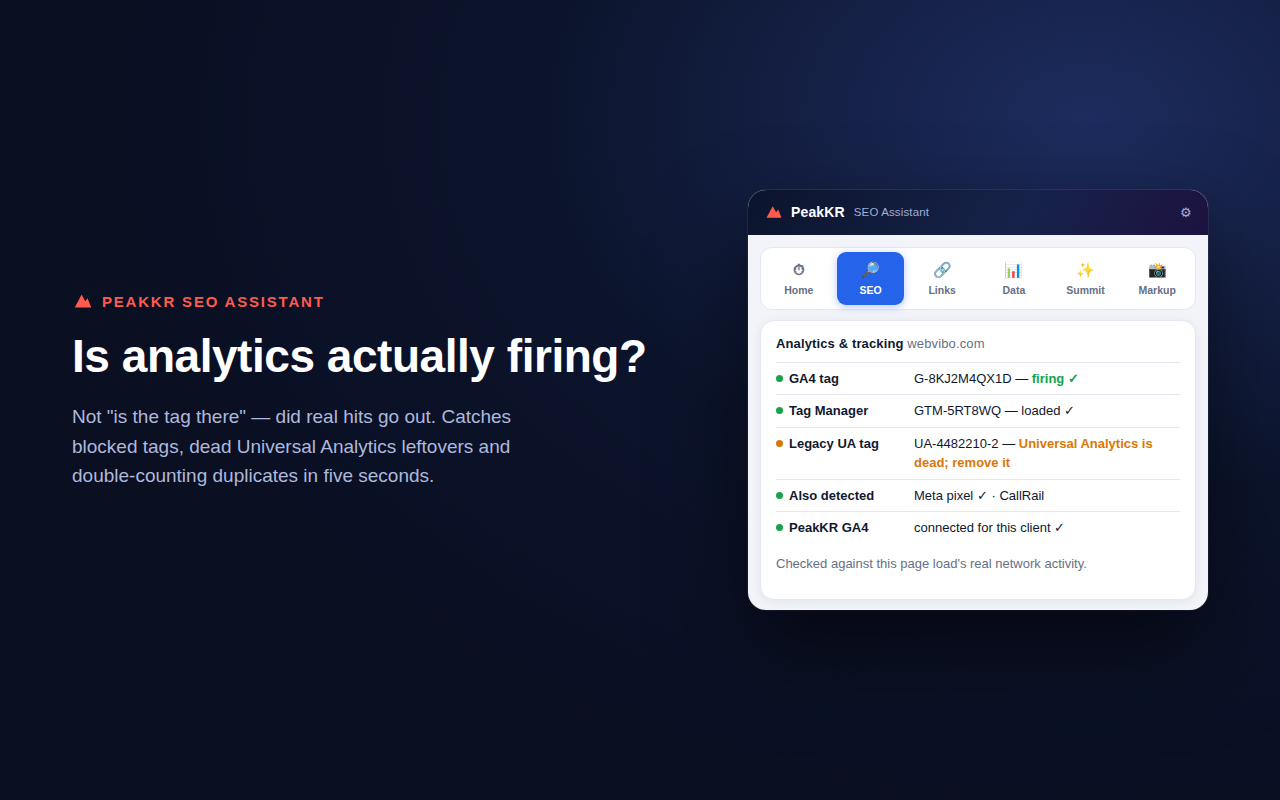
Metas, headings, schema, links, Core Web Vitals — the checks that used to take five tabs happen in one panel.
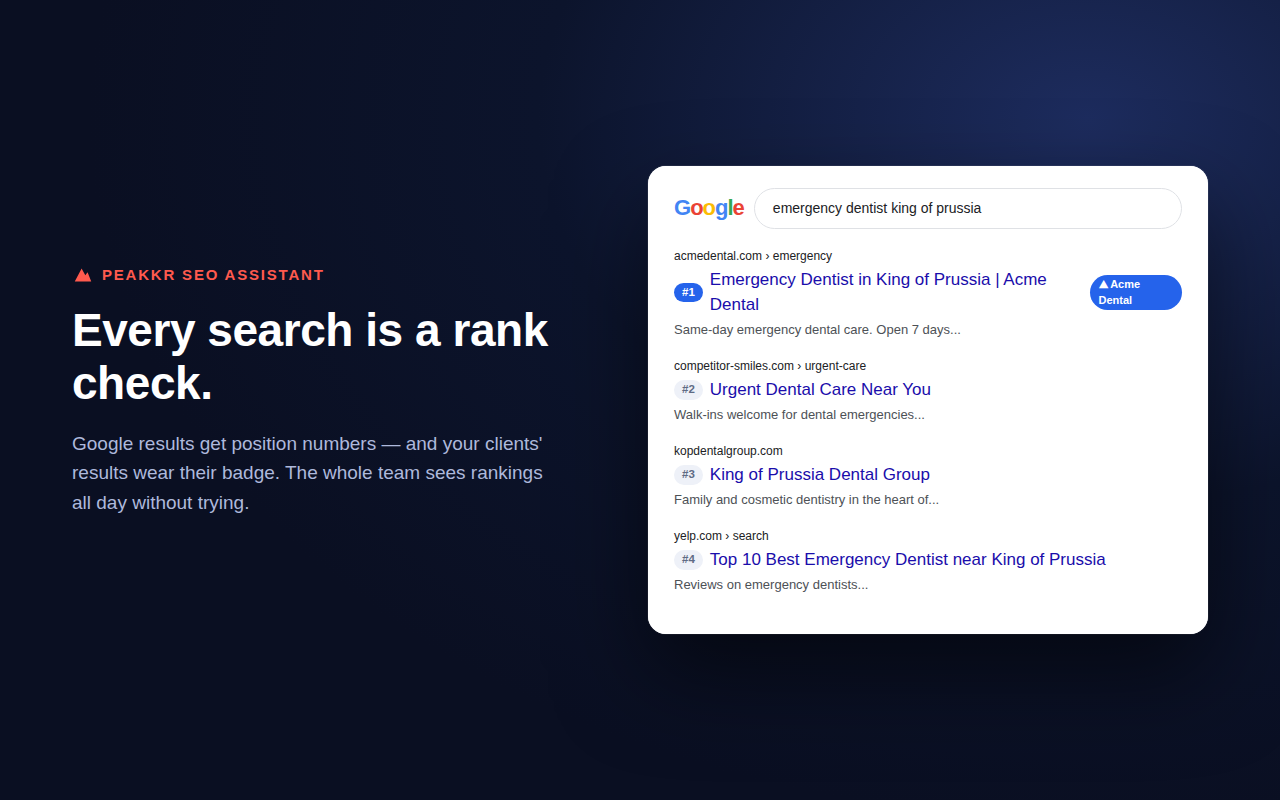
Google results grow position numbers and your clients' results wear their badge — rank data without lifting a finger.
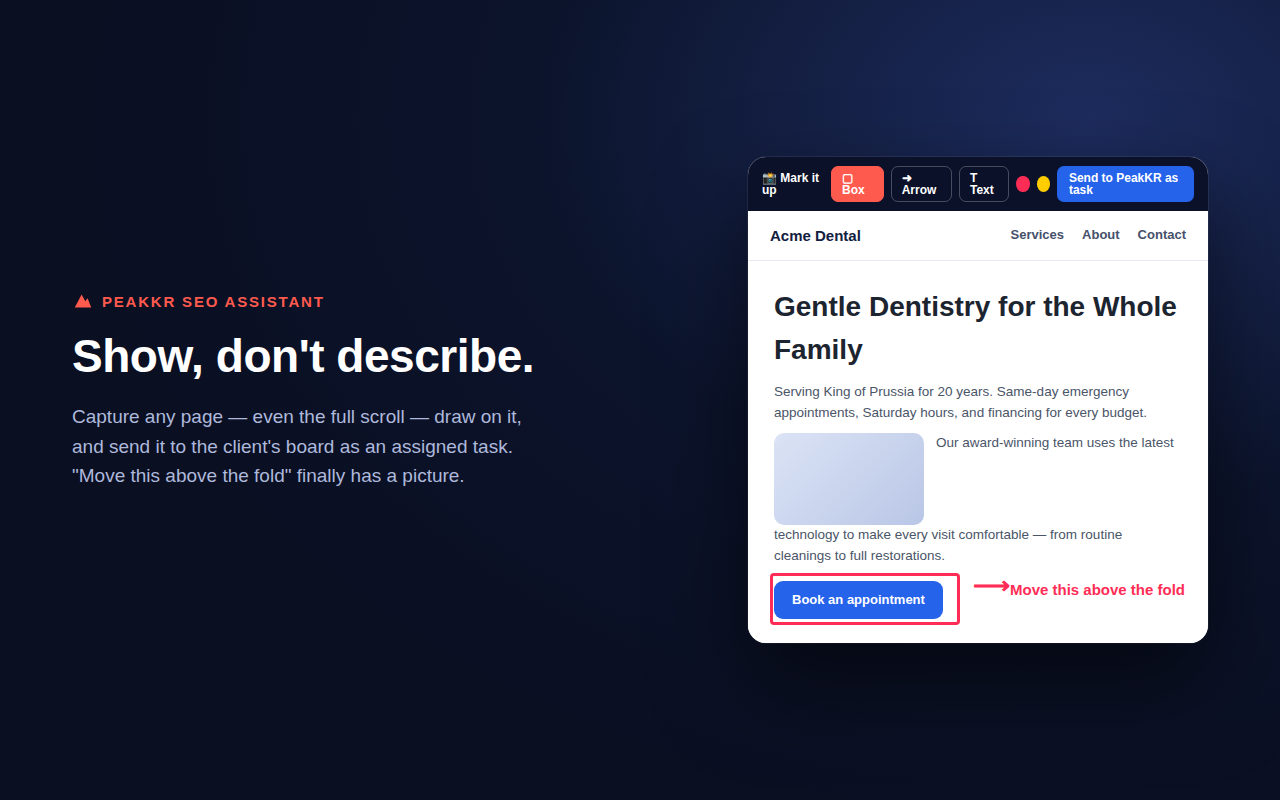
Broken links, image issues and on-page findings become tasks on the right client's board — assigned to their PM, due date set.
Start the toolbar timer on a client's task; stopping logs straight to your timesheet. No end-of-day reconstruction.
Dock it to the side, top or bottom of the page — it follows you site to site and remembers the tool you were using.
Pin notes teammates see when they land on a URL; snapshot pages and see exactly what changed since.
Works instantly on any site — no account needed for the SEO tools. Connect your workspace and it becomes your agency's command center on every page.

From the founder
Hi, I'm Nick Quirk. I run an agency, and for years I did what maybe you're doing right now — stitching the day together across a pile of tools. One app for projects, another for time, a spreadsheet for retainers, a separate thing for client updates, and a group chat holding it all together with tape.
I tried every project management tool out there. Each one was built for software teams, or generic “work,” never for the rhythm of an agency: phased SEO campaigns, monthly retainers, deliverables a client actually needs to see, and the constant context-switching between ten accounts. I always ended up bolting three tools together and still losing things in the gaps.
So I built the one I wished existed. PeakKR is the tool I use to run my own agency — projects that unlock phase by phase, time and retainers tracked as the work happens, and client reports that prove the progress without a single copy-paste. One flat price, the whole team, every client.
If you've felt that same friction, this was made for you.
Nick Quirk Founder & agency owner · SEO Locale
Pricing
No per-seat math, no tiers, no add-ons. Bring the whole team and every client.
$100 / month
Flat rate · unlimited people, projects & clients
14-day free trial · no charge for 14 days · cancel anytime
One tool instead of ten
Most agencies bolt five subscriptions together and call it a stack. PeakKR is the stack — connectors feed your clients' data in at the base, and every layer above them is one product, one login, one flat price.
Summit AI already knows every client below it — briefs, recaps, plans and real actions.
White-label reports assemble themselves; every client gets a live hub link, not a status meeting.
Audits, the on-page x-ray, AI briefs, rank tracking and the Chrome extension.
Phased projects, timesheets, retainers and capacity — what the rest stands on.
Connectors pour the data in at the base. That's all they do — everything above is PeakKR.
▲ Data flows up from the connectors. Everything above them — operations, SEO, reporting, AI — is PeakKR, $100/month flat. That's the entire stack.
No tiers, no add-ons, no “available on the Enterprise plan.” If it's in PeakKR, it's in your $100.
From the blog
Agency tool sprawl turns your stack into a Franken-System of workarounds. Here's how to audit, triage and consolidate without breaking delivery.
Sep 20, 2026 out-of-scope requestsScripts and systems for handling out-of-scope requests without damaging the client relationship — plus how to turn scope creep into billable revenue.
Sep 19, 2026 agency cash flowA practical system for stabilizing agency cash flow: retainer floors, 13-week forecasts, billing terms, and capacity math that ends feast or famine.
Sep 18, 2026FAQ
Yes — $100 a month, flat, for unlimited people, projects and clients. There are no per-seat fees and no tiers, so your bill never grows as you hire or take on more work.
No. PeakKR runs in your browser. Create a workspace, invite your team by email and you are working in a couple of minutes.
Yes. A timer lives right next to the work, weekly timesheets roll up by project and person, and monthly retainer hours are tracked with alerts as you near the cap.
It is. Connect SEMrush, Moz and SEOApp for live SEO data, link Sendible for social, and send clients automatic branded weekly progress reports.
Yes — start free with a 14-day trial. There is no charge for 14 days and you can cancel anytime.
Bring your team onto one route and start turning goals into results today.
Create your workspace — free Summit
Hi, I'm Summit — your AI guide inside PeakKR. I help agencies plan the day, draft client updates and keep every project on track. Come climb with me.